A first Performance Max campaign following the documentation to the letter is still one of the most common ways advertisers accidentally torch their ROAS. Impressions climb, then ROAS craters — a historical 3.4x on manual campaigns dropping to under 1x within days. The instinctive response, tightening the target ROAS, adding more specific audience signals, cutting the budget, almost always makes it worse. Every one of those "sensible" adjustments restarts the campaign's learning period, preventing it from ever reaching stable optimization in the first place.
Understanding how Performance Max works at a mechanical level, not just a feature level, is what reverses that outcome. The same type of campaign that craters under constant tweaking can generate 3x-4x ROAS within six weeks once it's left alone to actually complete its learning period. The difference isn't the campaign structure — it's understanding the algorithm's actual behavior and working with it instead of against it.
Performance Max now drives 45% of Google Ads conversions across advertisers using it. That's not a niche campaign type anymore. It's the backbone of Google's advertising platform. Here's how to actually run it well.
Google Performance Max in 2026: Key Numbers
What Performance Max Actually Is (and What It Isn't)
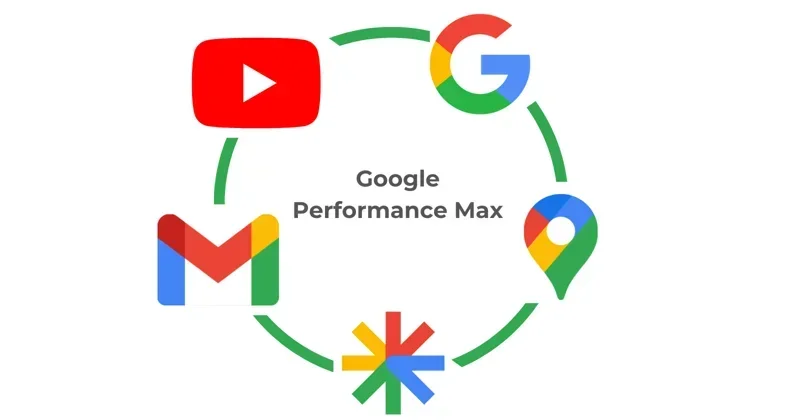
Performance Max is a goal-based campaign type that uses Google's AI to serve ads across Search, Shopping, YouTube, Display, Discover, Gmail, and Maps from a single campaign. You provide the assets — headlines, descriptions, images, videos, and your product feed — and Google's algorithm assembles them into ad formats optimized for each placement and each individual user.
What PMax is not: a hands-off system you set and forget. That's the most common misconception, and it's responsible for most of the mediocre results people report. PMax is more like a highly intelligent colleague who needs the right inputs, the right constraints, and enough time to learn — but will consistently underperform if you micromanage it or starve it of data.
In October 2024, Google changed how PMax competes in auctions: it no longer automatically gets priority over Standard Shopping. Both campaign types now compete on ad rank, which means a well-optimized Standard Shopping campaign with strong product data can win over a poorly-built PMax campaign. This change restored the strategic value of running both simultaneously, which I'll cover in the strategy section.
The Setup Process: Step by Step
Fix your conversion tracking before anything else
Every performance problem I've diagnosed in PMax campaigns traces back to bad conversion tracking. If you're counting micro-conversions (newsletter sign-ups, add-to-carts) alongside actual purchases, Google will optimize toward the wrong events. Configure your conversion tracking so that your primary goal is purchase or lead, and only that. Secondary conversions should be tracked but not set as optimization goals. PMax will optimize toward exactly what you tell it to optimize toward — make sure that's the right thing.
Set bidding to Maximize Conversion Value with no ROAS target
This is the step most new PMax users get wrong. They immediately set a Target ROAS because they want to control costs. But the algorithm needs data to learn. Constraining ROAS before it has sufficient conversion history causes it to under-deliver and miss valuable conversion opportunities while exploring the audience space. Budget guidance: Set daily budget at 10–20x your target CPA to allow the algorithm enough headroom to explore. Do not set a Target ROAS until you have 50+ conversions in the last 30 days. Before that threshold, you're flying blind with a constraint that cuts off discovery.
Build asset groups around product or service categories, not keywords
Each asset group should contain assets optimized for a coherent audience and product set. Upload the maximum allowed: 15 headlines, 5 descriptions, 20 images (mix of landscape, square, and portrait), 5 videos (if you have them — Google will auto-generate videos if you don't, which are usually weak). More high-quality assets directly translates into better performance because the algorithm has more combinations to test. Consistently uploading the minimum asset count is one of the most common ways advertisers limit their own PMax performance.
Add audience signals as guidance, not restrictions
Audience signals in PMax are directional hints to Google's AI, not hard targeting restrictions. They help the algorithm find your best customers faster by giving it a starting point. Add your customer lists, website visitors, similar audiences, and interest-based audiences that represent your ideal buyer. Do not expect the campaign to stay within those audiences — it will expand beyond them as it learns. That expansion is often where the best results come from.
Set brand exclusions immediately
By default, PMax can serve on your brand terms, which means you're paying for clicks you'd get for free from branded organic search. Add your brand name as a brand exclusion from day one. This is one of the fastest ROAS improvements available in any PMax account and it costs you nothing to implement. Without it, you're essentially paying to compete against your own organic traffic.
The Learning Period: Why You Must Leave It Alone
This is the section I wish someone had drummed into me before my first PMax launch. The learning period is 6 to 8 weeks. During this time, the algorithm is testing placements, audiences, and bidding strategies. Performance during learning is almost always worse than eventual stable performance. Expect CPA to run 30 to 50% above target during this window.
Any significant change during the learning period restarts it. "Significant" means: budget changes over 20%, bidding strategy switches, adding or removing asset groups, and changes to conversion goals. This is why constant tinkering is so destructive. If you make three adjustments in the first month because early numbers look bad, you're perpetually in the learning phase and you'll never see what the campaign can actually do when optimized.
⚠ The most expensive PMax mistake: Pausing or stopping a campaign after two to three weeks because early ROAS is below target. That's exactly when the algorithm is working hardest to find your best customers. Campaigns killed at week two never get to demonstrate what week six or seven looks like. Commit to the full learning period before making any structural judgment about the campaign.
The ROAS Optimization Sequence After Learning
Once you have 50+ conversions in a 30-day window and the learning period has stabilized, here's the sequence for moving to ROAS optimization.
Step one: Switch from Maximize Conversion Value to Target ROAS. Set the initial Target ROAS at your account's historical Shopping ROAS, not your aspirational ROAS. If your historical ROAS is 3x and you set 5x immediately, the campaign will starve traffic while searching for increasingly rare high-value conversions. Step two: Wait 14 days before evaluating. ROAS adjustments take two weeks to reflect in the data because of attribution windows and algorithmic response time. Step three: Adjust in increments of 5–10% every 14 days, not in large jumps. Large jumps trigger mini learning periods. Small incremental adjustments maintain volume while progressively improving returns.
The 80–150% ROAS improvement figure from Digital Applied's 2026 research isn't marketing copy — it reflects the difference between PMax campaigns that go through proper optimization sequencing versus campaigns that get constrained too early. The patience is genuinely the hard part, but it's also genuinely what separates accounts that get exceptional results from accounts that get mediocre ones.
When to Use PMax vs Standard Shopping vs Standard Search
The most sophisticated PMax practitioners in 2026 are running hybrid strategies, not choosing one campaign type exclusively. Here's the framework I use:
PMax for broad acquisition and channel discovery, particularly for new products, new audiences, and cross-channel reach you can't get from Search or Shopping alone. Standard Shopping alongside PMax for your highest-converting, highest-margin products where you want granular bid control and transparent keyword-level reporting that PMax doesn't provide. Standard Search for high-intent branded and non-branded keywords where query-level control matters, and for protecting against PMax's tendency to sometimes cannibalize search traffic at premium CPCs.
Budget split starting point for e-commerce: PMax at 50–60% of total Google Ads budget, Standard Shopping at 25–30%, Standard Search at 15–20%. Adjust based on where your conversion data tells you the efficiency is best after 60 days of running all three.
The Asset Quality Problem Nobody Talks About Enough
Google's AI can only work with what you give it. If your headlines are generic, your images are stock photos, and you have no video assets, PMax will auto-generate lower-quality alternatives and serve the best combinations it can build from weak materials. The algorithm is good. It's not magic.
In practice, the fastest ROAS improvements I've seen in PMax accounts come not from bidding adjustments but from upgrading asset quality. Replacing stock images with lifestyle photography featuring the actual product. Writing specific, benefit-oriented headlines instead of generic ones. Adding even one original 15-second video that shows the product in use. These changes directly affect the conversion rate of every placement in the campaign, which improves ROAS independently of bidding strategy. Check your asset performance scores (Best/Good/Low) in the Assets report weekly and replace Low-rated assets systematically.
The one PMax configuration question worth asking every 30 days: Where is my budget actually going? Use the Placements report to see the channel mix — Shopping vs YouTube vs Display vs Search. If you're an e-commerce brand seeing 60%+ in Display or YouTube where conversion rates are lower, you may need a feed-only configuration that restricts PMax to Shopping placements only. That's a legitimate choice for some businesses, not the default setting.